

Follow these steps to self enroll using your office phone
- Open the Minnesota State Multifactor Authentiacation Self-Enrollment page.
- Complete the ‘additional security verification’ before enabling MFA by selecting the ‘additional security verification’ link.

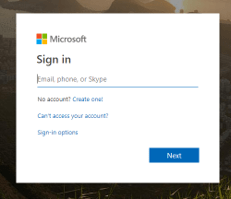
- Log in with you StarID credentials.
- Students: [StarID]@go.minnstate.edu
- Faculty/Staff: [StarID]@minnstate.edu
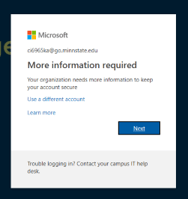
- Once signed in, you will be prompted to provide more security information to your account. Click ‘Next’
The next screen will allow you to select your additional verification options. - Under “what’s your preferred option?” select Call my authentication phone or Call my Office Phone.
- Choose your backup verification methods
- Select Authentication Phone and enter a phone number that is different from the listed Office Phone (listed below).
- If you have an office phone number assigned to you, Select Office Phone.
- Select Alternate authentication phone and enter a phone number different from any number listed previously, if available. This is a backup phone number if you cannot be reached at the Authentication Phone number.

- Click Save.
- Close Browser Tab to return to the Multi Factor Authentication Request browser tab.
- Click the Enable MFA button.